It's that time of year that gifts are given and baskets are filled. This year is different -- hello! can you say recession? - but it's not stressing me out. Having grown up poor -- which has a tendency to build your creative "muscles" -- I prefer giving humbler, but creative gifts.
In the past, we've gone a little overboard at Christmas. We were both working then and both made decent salaries. And Good Lord knows the economy was better. So, in our hurried forays into the shops, we would grab this and that and this and that and wrap it all till we were exhausted. And then just to make sure we didn't leave anything out, we'd fling a couple of gift cards in there. I'm not saying we didn't put some thought into the gifts, but who needs a mountain of gifts at Christmas? It always made me feel a little funny inside -- probably its me as a poor child looking through the window saying ... this ain't right! I find I PREFER fewer gifts! I love gifts that are homemade or purchased at a thrift store and cleverly upcycled into something else. I think a gift that includes cleverness and love is the best gift of all.
I remember the year Billie & Amanda gave us 2 special gifts. Amanda made some "trivets" of Christmas fabric filled with spice scented rice. And Billie made "Bailey's Irish Creme" from a recipe she found. She put it in a pretty bottle she got at a thrift store. They wrapped the gifts in white tissue paper and I think the ribbons were silver. It was lovely and meant so much to me. I still have the bottle and the trivets.
Now that we're adults and our children are grown, I find we need LESS STUFF! So we've encouraged the kids to give us consumables. Every year Erika bakes some wonderful breads for us - like Black Forest Chocolate Bread or Italian Olive bread. We cut the loaves in half, wrap and freeze them and then when we want a special treat, we pull out one of Erika's breads and it brightens our meal. And we love the thought that we haven't made a big dent in her economy.
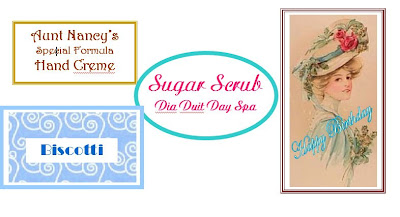
Having said all that, I humbly present the baskets I sent to work with DH this mornining. I bought the baskets at Goodwill in Denton for $1.00 each. The one on the left was dark brown, the one on the right was mauve with a country style ribbon glued around it. I removed the ribbon, brushed them off real well, painted them white, stuffed white tissue in the bottom, covered that with a sheet of beautiful gold tissue, and tied a gold bow to the side. The bow is made up of 2 different ribbons and I wired 3 bells to the center. (I got the bells at Dollar Tree - 9 bells for $1.00). One basket has three books wrapped as one package and the other has a beautiful picture frame from Barnes & Noble. Each basket has a mercury glass votive with candle, a large loaf of rum cake, a package of homemade cranberry almond biscotti, and a package of Ghirardelli chocolates. DH added a really neat teeny-tiny flashlight that has a VERY bright beam (my sweet techo DH) and the funky-shopping-bag-chick ornament we found at Goodwill in Waco.

 All in all, I'm pleased with the result!
 This has 2 fabrics on each petal.